
“Approve modules”: Is your content up to date?
A record of processing activities is not static, but something that is constantly changing and evolving, for example:
- Responsibilities change due to permanent absences or new additions to the team
- There are changes in service providers
- AI is introduced to processes
When such changes occur, are they reliably documented in foxondo in your company? Or is it possible that this information gets lost?
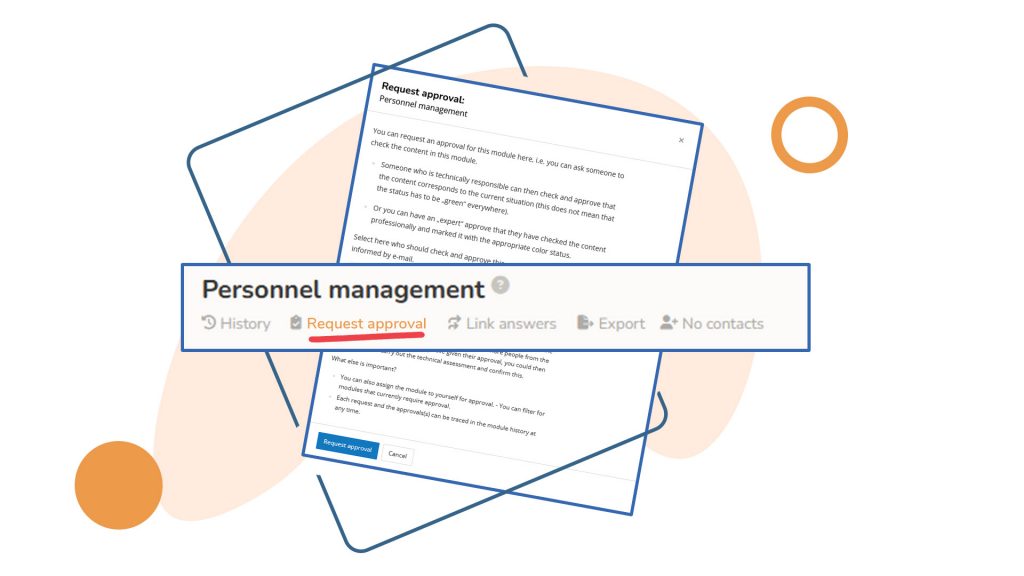
In foxondo, “module approval” help you keep track of everything.
What are “module approvals”?
With “module approvals,” you can request confirmation from one or more people that the contents of a specific module are correct and up to date. And you can give such confirmation yourself if it is requested from you.
First of all, you can view:
- Which modules currently have a request for approval. Use the filter on the top left for this.
- When a module was last confirmed. You can find this information in the history of each module.
- If the content of a module changed since the last confirmation. This is the case when the icon in the Module header is “blue.”
Our tip for the new year:
- First, check which modules do not yet have a defined contact person (filter “Module responsibility” > “Modules that no one is responsible for”).
- Assign a user as the contact person for the module (this will usually be the person mentioned in the first question).
Once all or almost all modules have a contact person, you can assign a module approval to each of them. You can find out exactly how this works in these instructions.