
A small click, a big impact: Using the copy questions link feature in foxondo
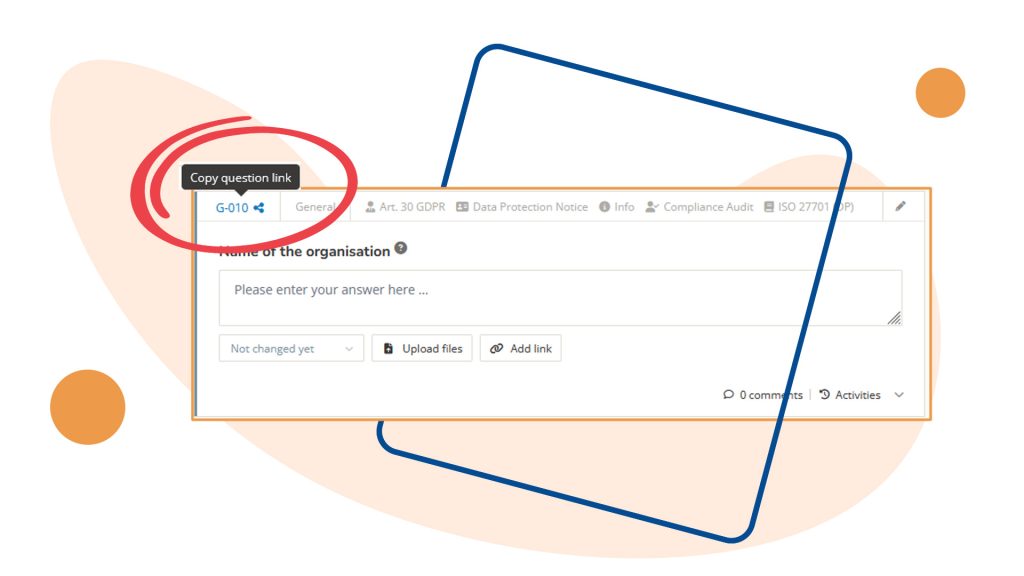
foxondo is full of practical features that help with day-to-day documentation tasks—if you know how to use them. One of them is the link to a specific question.
Here's how it works
Every question in foxondo has its own number, for example, “G-010.” When you click on this number, the link to that exact question is automatically copied – as shown by the small share icon next to it. You can paste this link wherever you need it.
What is this useful for?
Linking questions together
Some topics are related – one answer references another, or two questions address the same issue from different perspectives (such as privacy notices for employees applicable to several processes). Instead of describing where the relevant information can be found, simply paste the link. One click, and other users will be redirected to the exact right spot.
Share questions selectively
Not every follow-up needs to be posted as a comment with an @mention (which stays in the question’s history). If you just want to point someone to a specific question, copy the link and send it directly – no need to explain where in which module to find the spot. This saves time for both parties.
When to choose the link over the comment feature
foxondo already offers a great way to bring a question to others’ attention through comments and @mentions – directly in the system, with notifications. Copying links to questions directly complements this: It also works outside of foxondo – for example, in an email, a chat, or an internal document -and is particularly suitable for one-time references where no discussion in the comments section is necessary. Important: The person receiving the link must be a foxondo user in order to open it.
In summary:
- Click on the question number (e.g., “G-010”
- The link is copied automatically
- Paste it – into another question, in an email, or wherever you need it
A small feature that quickly becomes second nature once you’ve tried it.